Review Comments (0) Screenshots (4) Questions & Answers (0) Votes (0) Awards (6) Wiki  
-Please log in to rate
0 0/5 (0)
-Gold Leo Software Inc.
-1.0.0.1
- www.goldleo.com
-Shareware
-29.95$
- 10 people
Download GoldLeo Video...

1.29 MBDownloaded 117 times


Review

This is a quick review

GoldLeo Video Converter is an All-in-One software that lets you convert, join, merge, edit video files. It also can extract audio/picture from video files. It converts video/audio file to DVD, VCD, SVCD, MPEG1, MPEG2, AVI, WMV or Custom MPEG File, extracts video/audio tracks from mpg, wmv, avi, mp3, wma files and then save to mpeg1, vcd, svcd, dvd ,avi (uncompressed)/(compressed using any available codec), or wmv files, joins/merges a lot of video/audio files into vcd, svcd, dvd, mpeg1,mpeg2, avi or wmv files , even if these media files are of different file formats. Key Features: Convert video to MPEG1, MPEG2, VCD-PAL ,VCD-NTSC, SVCD-PAL, SVCD-NTSC, DVD-PAL, DVD-NTSC. Preview the video when converting the video. Export video frames to separate image files/memory(Picture Box, HBitmap) and resize to specific size Export wave file from media file and save to specific number of channel, sample rate, bit per sample. Support input vob file format. (need dvd decoder) Support 32000, 44100, 48000khz sample rate in MPEG1, MPEG2 File. Support Custom WMV Profiles.You can configure streams to use variable bit rate encoding (VBR), uncompressed audio or video stream, Video Size, Buffer Size, Frame rate, etc. Convert video files from one format to another or wmv files. Mixing foreground and background audio. Join/merge a lot of video/audio files into vcd, svcd, dvd, mpeg1,mpeg2, avi or wmv files , even if these media files are of different file formats. Extract video/audio track from mpg, wmv, avi, mp3, wma files and then save to mpeg1, vcd, svcd, dvd ,avi (uncompressed)/(compressed using any available codec), or wmv files. User define output video size. Resize specific video resolution. Add a transition (over 20 transition) between any combination of video clips, pictures. Unlimited video transition ( use third party video transition). Add a number of image ,sound files and then create mpeg1, vcd, svcd ,dvd, avi or wmv files.
 
The following full-length review applies to version 1.0

GoldLeo Video Converter 1.0 is a program that will suit most of your conversion needs. Thanks to this program, you are going to be able to convert lot of video files from one format into another. Some of the video files supported by this program are VCD, SVCD, MPEG, WMV and AVI. But that is not all this application does. With this program you can also extract audio from your favorite video files by converting them into audio formats. This software supports Mp3 and WMA files as output audio formats.

An enhanced media player will let you preview your conversions without leaving the program's main window. This software will convert your files in a very short amount of time. Besides, the program comes with many advanced settings for each of your conversions. However, this is not the easiest program to use. If you have worked with other conversion tools maybe this one will look different to you and you will have to figure out how to use it.

GoldLeo Video Converter 1.0 will enable you to configure your video files' properties, including video size, buffer size, frame rate, audio bit rates, channels and more. Besides, the program lets you mix foreground and background. The software also supports batch conversion.
Advantages
  • It supports many video files.
  • It supports batch conversion.
Disadvantages
  • The program is not very easy to use and it doesn't come with hints or tips.

Reviewed by: Sebastian Fernandez

Reviewer rating: Editor's rating 3

Screenshots

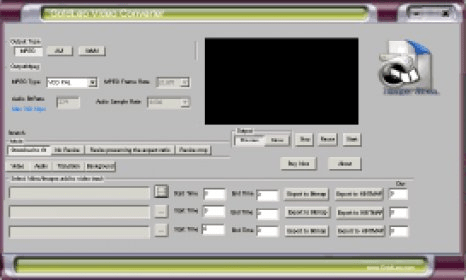
Main Window Main Window Main window Main window MPEG types MPEG types Video compressor Video compressor

Latest comments


There are no comments, be the first one!
Add new comment
Download siClient

Email Address:

Password:

Register now »

Forgot password?

Copyright © 2009, Informer Technologies, Inc. About| Privacy and terms| Help| Feedback